


With the world becoming more and more digital, apps and devices are becoming more readily available to digitize things and make everything available online. While I still love the good old pen and paper, there are just so many cool and interesting applications and programs to streamline organization and make everything more compact (which I’m sure no one would be opposed to). Honestly, I wish that I could’ve found some of these earlier on and stuck to them because of how easy these programs are to use. Here’s my beginner’s guide to programs to Organization and Note taking Apps.
Google Calendar
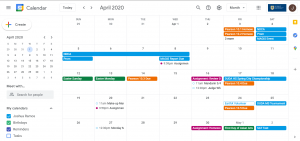
When I first started getting into online planners and reducing the amount of extra paper, I found Google Calendar to be very reliable in keeping track of important dates and when homework is due. It’s a very simple and reliable UI, with with a clean monthly and weekly format to look at while also allowing for colorful customizations to make things interesting and less bland. The alternative on pen and paper is to have multiple colorful pens, but it still doesn’t have the flexibility of being able to move events and things across the months. This combined with the ability attach hyperlinks to a zoom class, homework assignment on Moodle or Rangernet, or even Google Docs links all make this an easily accessible and free beginner tool to start with online organization.
Google Sheets/Excel
If you’re looking for something more assignment and tasked based as the basis for organization, Google Sheets/Excel is the tool for you. You know, I never really knew the power of spreadsheets until I discovered how extensive the formulas are and the usefulness of conditional formatting. To be honest, I would’ve never discovered how spreadsheets could be utilized if it wasn’t for stumbling across a TikTok that showed it to me (sorry, I don’t remember the exact TikTok but I was able to find it). I still think there are things to explore with conditional formatting to make it look even nicer but for now, the bare minimum is very reliable and free.
If you don’t know where to start when it comes for organization click here to access the spreadsheet template that I was going to use before I found an even better program.
Notion
I’ve just discovered this program and it’s literally a godsend. It’s everything I could’ve ever wanted in a program, it’s KanBan + Google Calendar + Journal + Yearly Goals + Google Sheets template + more.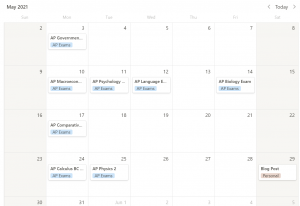
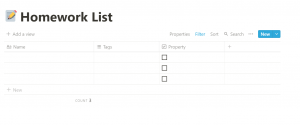
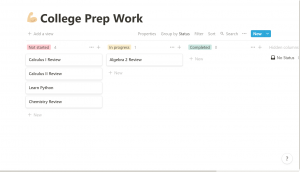 At first glance, it may seem overwhelming, since almost every aspect of it is customizable, but take a moment, maybe 10-15 minutes, to just play around with it and you’ll be amazed at how much you can do to curtail it to how you like, from unique color coding to filter by or the small emojis to attach to the nav pane. HOWEVER, I’m not sure whether you would have to pay for the premium plan if you sign in with your Jesuit email. I am able to do it with my College email. Regardless, even if you don’t like their payment plans, a free plan seems to give access to almost everything except for file uploads, which still gives you access to their almost limitless customizability.
Notability/GoodNotes
If you prefer online notes AND have an iPad, then these two apps are THE go to for you. Like if you’ve done any research or any quick Google searches on how to best take digital notes, then these two are the top contenders. But be warned, neither of these apps are free, and it makes reasonable sense, the programs both have palm rejection and have so much diverse e-paper and ways to take notes (especially Good Notes, which would probably be my go to if it weren’t for paper notes being so much more appealing to me).
IF you are looking for a free note taking service, the good ol’ OneNote has always been reliable to me, and it’s free too, since we get it with our Jesuit emails (and some of your classes might’ve already been using it to share notes or for homework related things).
Adobe Scan/Notes App/Cam Scanner
Say you’re not a fan of taking notes online but still like the digital aspect because of convenience, then welcome to the age of scanning apps. These have become so popular over using a printer or a standalone scanner that even your Notes app on your iPhone has it as a feature for taking pictures and converting them into easily sendable pdfs that can be emailed to anyone. This combined with a free Google Drive makes your notes accessible everywhere without having to carry around a ton of binders or a ton of notebooks. Outside of your Notes app, there are two other apps that I would like to take note.
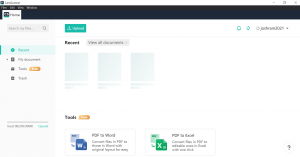
Cam Scanner – While it may initially seem like Chinese malware or spyware, it’s still a very reliable free scanner that has it’s own software for maintaining and keeping all your physical notes. However, a free account gives you less than desirable storage (i.e. 200 mb) and gives you barely any access to editing or exporting those notes to other platforms, as per the screenshot below it. I haven’t explored it much since I use Adobe Scan + Google Drive a lot more than Cam Scanner, take what I’m saying with a grain of salt, and explore it yourself if you want to.
Adobe Scan – This is what I’ve used a lot more. It’s free, it’s reliable, and it’s Adobe, which allows for easy scan if you have the software downloaded. I’m not well versed in a lot of the technology language that’s used to describe how they get clear scans or how the program works efficiently but the bottom line is that it gives clear scans and it connects with the other Adobe editing and holding software that exists. I would highly recommend it if you don’t like the way the Notes app works or looks.
Concluding Thoughts
I hope that I’ve been able to provide some insight on some basic/preliminary software that I’ve used/read about that might persuade you to try some of these programs out (especially Notion). Of course, there’s so many programs and organization tools out there to try out and use so it never hurts to do your own exploring to figure out what works best for you.
Stay tuned to the Roundup for more Student tips!